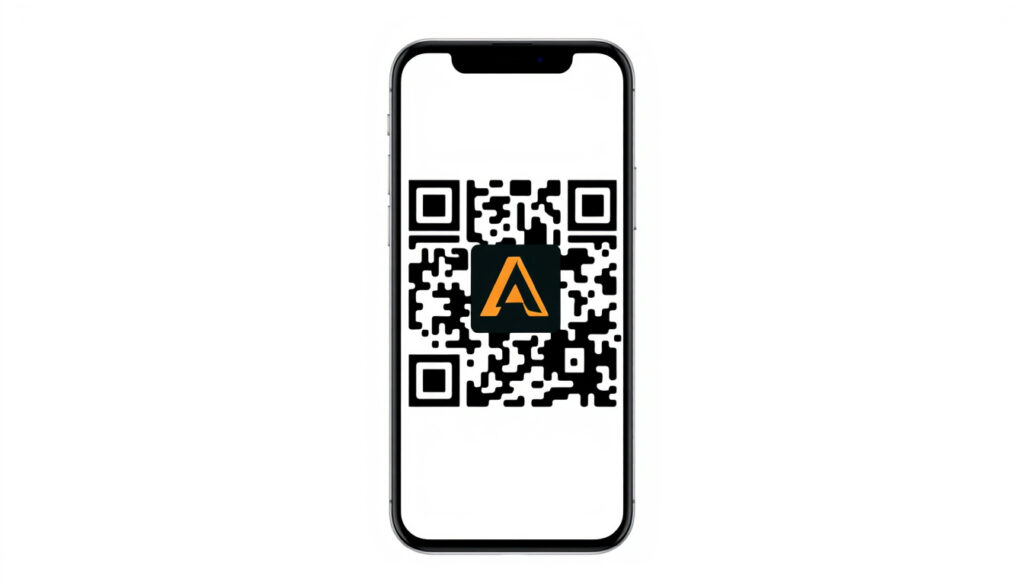
Adobe QR Code Generator – Free Static Codes with Logo
Adobe QR Code Generator: Free and Easy with Adobe Express
Adobe Express provides a free QR code generator that creates static, non-expiring codes for websites, contact information, text, and branded designs. The tool works entirely in-browser with no software download required, making it accessible across mobile devices, tablets, and desktop computers. Users can customize colors, styles, and frames before downloading finished codes in PNG, JPEG, or PDF formats for use in business cards, brochures, or marketing materials.
Unlike some free QR code services that impose time limits or scan restrictions, Adobe Express generates permanent static codes that remain valid indefinitely as long as the target destination remains active. The platform integrates directly with Adobe’s broader design tools, allowing users to incorporate QR codes into larger projects or export them for use with other Adobe applications.
Adobe Express QR Code Generator
Adobe Express serves as Adobe’s primary QR code creation tool, offering functionality that rivals dedicated third-party generators while maintaining integration with the company’s design ecosystem. The platform handles standard content types including URLs, social media links, vCard contact information, and plain text.
The generation process follows a straightforward three-step workflow: input the desired content, customize the visual appearance, then download the finished code. Adobe Express stores no history of previously created QR codes after logging out, meaning users must save their own files locally.
Key insights to understand before using Adobe Express QR codes:
- Static QR codes encode destination data directly, eliminating dependency on third-party redirect services
- Codes remain functional for years when used in printed materials like brochures that circulate 2-3 years
- vCard QR codes support modern v3+ format for improved smartphone compatibility
- Adobe Express QR codes work for WhatsApp integration via static wa.me links
- The tool does not generate dynamic tracking codes with scan analytics
- Logo and frame customization should not obscure the QR pattern to maintain scannability
| Feature | Details | Supported |
|---|---|---|
| Free Usage | Core generation without subscription | Yes |
| Logo Integration | Custom brand logos embedded in center | Yes |
| Expiration Risk | None for static codes (target URL dependent) | No expiry |
| InDesign Integration | Direct placement in layouts | Yes |
| WhatsApp Links | Via static wa.me URL encoding | Yes |
| vCard Support | Contact info encoding (v3+ format) | Yes |
Adobe QR Code Generator with Logo
Customizing a QR code with a logo requires balancing visual branding against functional scannability. Adobe Express provides frame templates and color customization options that work alongside logo placement to create codes that represent brand identity while remaining reliably scannable across devices.
Logo Placement and Design Considerations
The central area of a QR code can accommodate a logo or icon without breaking the code’s structure, provided the surrounding pattern remains intact. Adobe Express templates offer pre-styled frames that guide logo positioning and help maintain the contrast ratios necessary for reliable scanning. Users should test completed codes across multiple devices before finalizing designs for print or digital distribution.
When adding a logo to your QR code, ensure the surrounding pattern maintains at least 60% contrast. Test the final code with several smartphones before printing, especially for materials that will circulate for extended periods.
InDesign Integration Options
Adobe InDesign offers native QR code generation capabilities that complement the Adobe Express workflow. InDesign produces static QR codes for URLs or vCards that can be placed directly within publication layouts, making it suitable for professional print production. According to Adobe community discussions, InDesign QR codes use the vCard v3+ format for improved compatibility with modern smartphones.
For projects requiring both custom design flexibility and professional layout integration, users typically generate highly customized codes through Adobe Express and then place them in InDesign, or use InDesign’s native function for straightforward URL encoding. Both approaches produce static codes without expiration concerns.
Adobe QR Code Generator WhatsApp and vCard Use Cases
Two practical applications of Adobe Express QR codes involve contact sharing and messaging platform integration. These use cases leverage different encoding standards but share the same static, permanent code generation approach.
WhatsApp Integration via QR Code
QR codes can link directly to WhatsApp conversations using the wa.me URL structure. Adobe Express generates a static QR code that encodes the wa.me link, which mobile devices scan to open a WhatsApp chat with a specific contact or business. This approach eliminates the need for manual phone number entry during in-person networking or printed marketing materials.
Adobe Express QR codes link to WhatsApp through static wa.me URLs, not through any specialized WhatsApp API. The encoded link remains functional indefinitely, but changing a phone number will break the connection.
vCard Contact Information Encoding
vCard QR codes encode contact details in a standardized format that smartphones can parse and save directly to address books. Adobe Express and InDesign both support vCard encoding, with InDesign specifically using the v3+ format that addresses compatibility issues present in older v2.1 implementations. This format improvement means modern devices handle encoded contact information more reliably than in previous years.
The vCard approach proves particularly useful for business cards and event materials where attendees can quickly capture professional contact details without manual data entry. The static nature of Adobe-generated codes ensures the vCard remains scannable for years when properly maintained.
Canva QR Code Generator and Alternatives
Several design platforms offer QR code generation alongside their primary services. Canva provides similar functionality within its design ecosystem, while Google offers basic QR code creation through its services. Understanding how Adobe Express compares helps users select the appropriate tool for specific project requirements.
Many third-party QR generators, including some free options, produce dynamic codes that depend on redirect services. These codes may expire or become inaccessible if the service account lapses or scan limits are reached. Adobe Express produces only static codes without these dependencies.
Adobe Express distinguishes itself through its static code generation, which eliminates the expiration risks associated with dynamic alternatives. For users already within the Adobe ecosystem or those requiring guaranteed long-term functionality for printed materials, Adobe Express provides a reliable free option without hidden usage costs.
Static vs Dynamic QR Codes: Understanding Permanence
The distinction between static and dynamic QR codes directly impacts long-term reliability. Static codes encode destination data directly into the pattern itself, meaning the code functions independently of any external service. Dynamic codes use a short redirect URL that points to the actual destination, introducing dependencies on third-party infrastructure.
| Established Information | Information That Remains Unclear |
|---|---|
| Adobe Express generates only static QR codes | Specific limits on customization options |
| Static codes have no inherent expiration date | Future feature roadmap for QR functionality |
| Codes remain valid if target URL stays active | Detailed scan tracking availability plans |
| Dynamic codes require subscription services | Integration timeline with other Adobe products |
Dynamic codes offer advantages for campaigns requiring link rotation or scan analytics, but these benefits come with ongoing service dependencies. Adobe’s static-only approach prioritizes permanence over tracking capabilities, making it particularly suitable for permanent print applications where codes may circulate for several years.
How Adobe QR Fits Common Use Cases
Adobe Express QR codes serve three primary scenarios effectively. Print marketing materials represent the strongest use case, where codes appear in brochures, business cards, and product packaging intended for extended circulation. The static nature ensures functionality throughout the material’s lifespan without maintenance concerns.
Event and conference materials benefit from QR codes that attendees can scan months later when reviewing collected information. Restaurant menus, museum displays, and retail signage also align well with Adobe Express capabilities, provided the encoded URLs remain active over time.
For temporary campaigns requiring analytics and link rotation, dynamic codes from other services may prove more appropriate despite their expiration risks. Adobe Express targets users who prioritize reliability over campaign flexibility.
Source Documentation and Credibility
The information in this article draws from Adobe’s official product documentation, Adobe community discussions, and publicly available help resources. Key sources include Adobe Express feature pages, Adobe HelpX tutorial content, and Adobe community forums where users discuss practical implementation.
Adobe Express QR codes do not expire, even for free use, as they are static—contrasting with some online generators that limit free codes to 30 days or scan counts.
— Adobe Community Forum Discussion
Adobe community discussions confirm that InDesign QR codes use upgraded vCard v3+ format for modern smartphone compatibility, addressing past issues with v2.1 implementations. The permanence of Adobe-generated static codes has been consistently confirmed across multiple official sources.
Try Adobe Express QR Code Generator
For projects requiring permanent, customizable QR codes with no expiration concerns, Adobe Express provides a capable free solution. The platform’s integration with broader Adobe design tools adds value for users already working within the ecosystem. To get started, visit the Adobe Express QR code generator directly in your browser.
Those comparing design platforms may find value in understanding how QR code generation fits alongside other creative tools. The Amazon Prime Video Login – Step-by-Step Sign-In Guide demonstrates another example of technology implementation walkthroughs available across different platforms.
Is Adobe Express QR code generator free to use?
Yes, core QR code generation is available without subscription. Users can input content, generate codes, apply basic customizations, and download files at no cost.
Do Adobe QR codes expire?
No, Adobe Express generates static QR codes that do not expire. The only way a code stops working is if the encoded destination URL is removed or changed.
Can I add a logo to Adobe QR codes?
Yes, Adobe Express supports logo customization through its design templates. The platform provides frame styles and color options that accommodate brand logos while maintaining scannability.
How does Adobe compare to Google QR Code Generator?
Adobe Express offers more design customization options and logo integration, while Google provides basic URL encoding. Adobe’s codes are static and permanent; Google’s basic tool uses similar static approach for simple URL encoding.
Can Adobe QR codes link to WhatsApp?
Yes, by encoding a wa.me URL, Adobe Express QR codes can create links that open WhatsApp conversations. The static code remains functional indefinitely unless the phone number changes.
Does InDesign have QR code capabilities?
Yes, Adobe InDesign includes native QR code generation for URLs and vCards. InDesign codes are static and use vCard v3+ format for modern smartphone compatibility.
What file formats can I download from Adobe Express?
Adobe Express QR codes can be downloaded in PNG, JPEG, or PDF formats. PNG and PDF formats are recommended for print materials to maintain quality.
What’s the difference between static and dynamic QR codes?
Static codes encode destination data directly and work indefinitely. Dynamic codes use redirect URLs that can expire if the service lapses or scan limits are reached.
More related posts
 Philippines Earthquake Tsunami Warning – What You Need to Know
 My BT Email Login – How to Log In, Reset Password & Fix Issues
 IPL Points Table 2025 – Final Standings and Playoff Teams
 Horse Racing Result Today – March 31 UK US Pending
 Indeed Jobs Stoke On Trent – Full-Time, Part-Time, Immediate Starts
 Symptoms of Heart Failure – Early Signs and What to Watch For
 Best Eye Cream for Dark Circles – Top Dermatologist Picks 2025
 B&Q Chester – Address, Hours and Contact Guide
